CabinetPass
A password manager that syncs through your own Google Drive
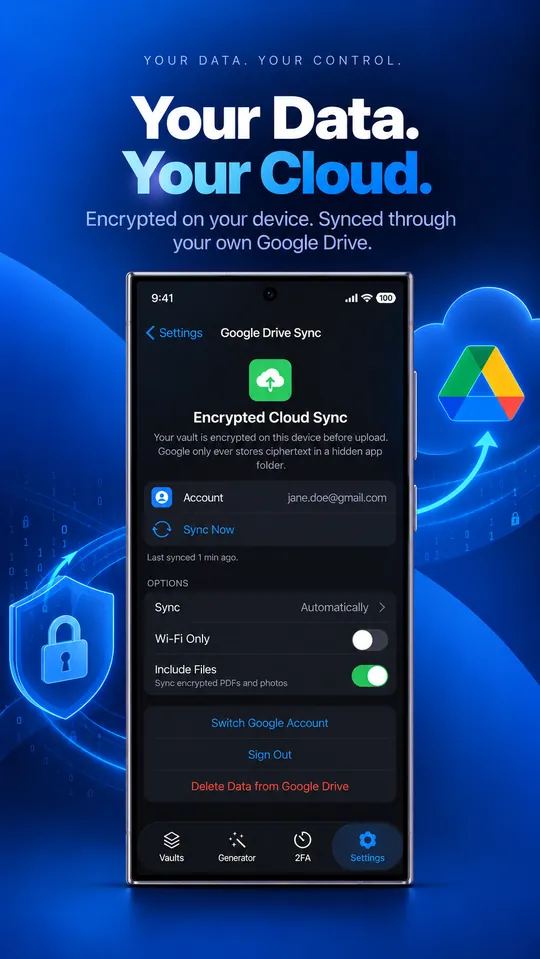
Most password managers sync through their own servers. CabinetPass syncs through yours: an encrypted copy of your vault goes into a private, hidden app folder in your Google Drive. Google stores the file; only your master password can open it.
Coming soon, free on iPhone, iPad, Mac and Android. No account needed.
How it works
Your vault and every attached file are encrypted on the device with AES-256-GCM, using a key derived from your master password with Argon2id. Only the encrypted files are uploaded, to Google Drive’s app-data folder, which other apps and the Drive web interface can’t see.
Minimal permissions
CabinetPass asks only for the drive.appdata scope. It can’t read or list the rest of your Drive.
Conflicts are merged
Edit on your iPhone and your Mac at the same time and the changes are merged item by item.
Check it yourself
The open-source Vault Viewer downloads your encrypted vault from Drive and decrypts it in your browser, read-only, so you can confirm exactly what’s stored.
Questions
Is CabinetPass free?
Yes. The free plan has unlimited passwords, cards and notes, 2 GB of encrypted files, 2FA codes, AutoFill, widgets and Google Drive sync, with no trial and no time limit. Pro adds unlimited file storage for $49.99 once or $3.99 a month.
Can Google read my vault if I turn on sync?
No. The vault is encrypted on your device before upload. Google stores an encrypted file in a hidden app folder and never has the key.
What if I forget my master password?
Nobody can recover it, including us. That’s what keeps the vault private. Use a passphrase of five or more random words and keep a written copy somewhere safe.