Google Password Manager alternative
A Google Password Manager alternative for passwords, 2FA and documents
Google Password Manager is free and built into Chrome and Android. It stores logins, but not your 2FA codes, passport scans or bank details in one place, and end-to-end encryption is optional. CabinetPass keeps all of it in one vault that only your master password opens, and can still use your Google Drive to sync, encrypted.
Coming soon, free on iPhone, iPad, Mac and Android. No account needed.
CabinetPass vs Google Password Manager at a glance
| CabinetPass | Google Password Manager | |
|---|---|---|
| Price | Free · Pro Plus $3.99/mo · Pro Lifetime $49.99 once | Free |
| One-time purchase | Yes, $49.99 | — |
| Free plan | Yes: unlimited items, 2 GB of encrypted files, 2FA codes, sync | Yes |
| Account needed | No | Google Account |
| Where your vault lives | Your device, plus an encrypted copy in your own Google Drive (optional) | Google’s cloud |
| Master key protection | Argon2id (64 MiB) + AES-256-GCM | Google account; on-device encryption optional |
| Encrypted documents | Yes, 2 GB free, unlimited with Pro | No |
| Built-in 2FA codes | Yes, free and synced | No (separate Google Authenticator app) |
| Apps | iPhone, iPad, Mac, Android | Android, Chrome on every platform, iPhone |
| Browser extension | Not yet | Built into Chrome |
| Passkeys | Coming soon | Yes |
| Shared vaults | Not yet | Family group sharing |
| Open source | Partly: file format and Vault Viewer (decryptor) are open source | No |
Based on each product’s public information as of October 2026. Prices in USD; check Google Password Manager’s site for current details.
Why people switch from Google Password Manager
Always end-to-end encrypted
Your vault is encrypted with a key from your master password before it leaves the device. Google only sees ciphertext.
2FA codes and documents together
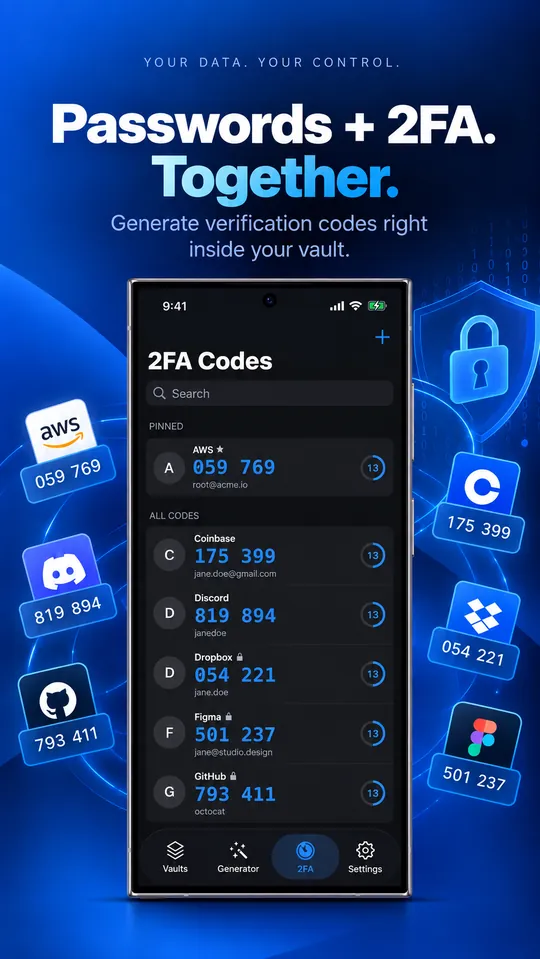
Live 2FA codes and encrypted files live next to the logins they belong to.
Works the same on Apple devices
Native apps for iPhone, iPad and Mac, not just a browser.
Structured items
Cards, bank accounts, identities, Wi-Fi networks and SSH keys, not only usernames and passwords.
Where Google Password Manager is ahead today
- Free and built into Chrome and Android, with passkeys.
- Fills passwords in Chrome on Windows and Linux.
How to move from Google Password Manager
- 1
In Google Password Manager, go to passwords.google.com and choose Settings › Export passwords.
- 2
In CabinetPass, open Settings › Import from Another App and pick the file. The app shows the steps for each manager and skips duplicates.
- 3
Check your items, then delete the CSV file: it isn’t encrypted.
Questions
Is CabinetPass free?
Yes. The free plan has unlimited passwords, cards and notes, 2 GB of encrypted files, 2FA codes, AutoFill, widgets and Google Drive sync, with no trial and no time limit. Pro adds unlimited file storage for $49.99 once or $3.99 a month.
Can Google read my vault if I turn on sync?
No. The vault is encrypted on your device before upload. Google stores an encrypted file in a hidden app folder and never has the key.
What if I forget my master password?
Nobody can recover it, including us. That’s what keeps the vault private. Use a passphrase of five or more random words and keep a written copy somewhere safe.