KeePassXC alternative
Like KeePass, with sync and AutoFill that just work on iPhone
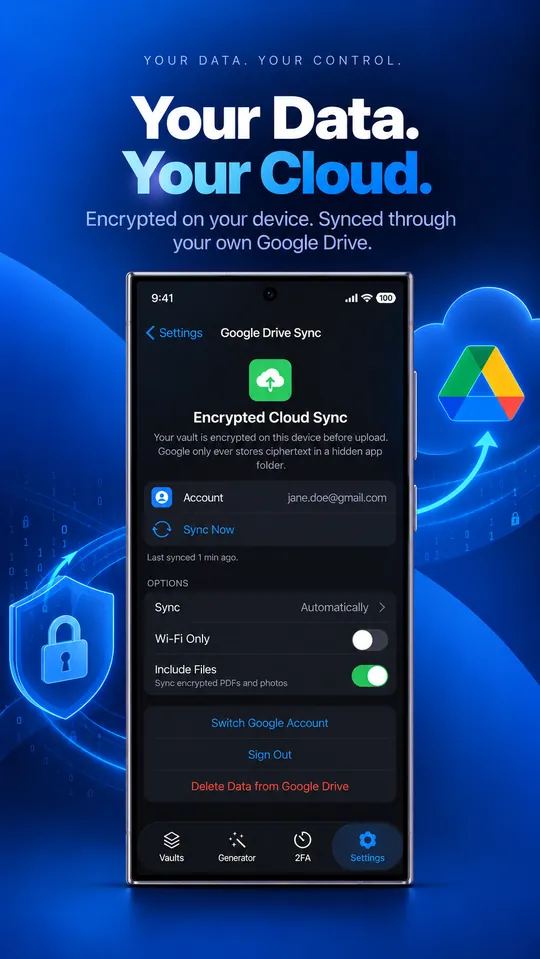
KeePassXC gets the important part right: your vault is a file that only your key opens. On phones, though, you need third-party apps and you set up syncing yourself. CabinetPass keeps the same “my data, my key” idea and adds native apps on iPhone, iPad, Mac and Android with sync that needs no setup.
Coming soon, free on iPhone, iPad, Mac and Android. No account needed.
CabinetPass vs KeePassXC at a glance
| CabinetPass | KeePassXC | |
|---|---|---|
| Price | Free · Pro Plus $3.99/mo · Pro Lifetime $49.99 once | Free |
| One-time purchase | Yes, $49.99 | Free software |
| Free plan | Yes: unlimited items, 2 GB of encrypted files, 2FA codes, sync | Yes |
| Account needed | No | No |
| Where your vault lives | Your device, plus an encrypted copy in your own Google Drive (optional) | A local file you sync yourself |
| Master key protection | Argon2id (64 MiB) + AES-256-GCM | Argon2 (KDBX 4) |
| Encrypted documents | Yes, 2 GB free, unlimited with Pro | Yes |
| Built-in 2FA codes | Yes, free and synced | Yes |
| Apps | iPhone, iPad, Mac, Android | Windows, Mac, Linux; phones via third-party apps |
| Browser extension | Not yet | Yes |
| Passkeys | Coming soon | Yes |
| Shared vaults | Not yet | Shared files |
| Open source | Partly: file format and Vault Viewer (decryptor) are open source | Yes |
Based on each product’s public information as of October 2026. Prices in USD; check KeePassXC’s site for current details.
Why people switch from KeePassXC
One app on every Apple device and Android
Native apps from one team, with the same vault format everywhere.
Sync with no setup
Sign in to Google Drive once; conflicts are merged item by item.
Phone features
Face ID and fingerprint unlock, iOS AutoFill, Home and Lock Screen widgets, and one-tap document scanning.
Small things done well
Share an item as text with secrets off by default, Wi-Fi QR codes, formatted notes, failed-unlock alerts.
Where KeePassXC is ahead today
- Free and fully open source, with a public audit.
- Strong desktop apps for Windows and Linux, plus browser integration.
- Works with any sync service, not just Google Drive.
How to move from KeePassXC
- 1
In KeePassXC, choose Database › Export › CSV File.
- 2
In CabinetPass, open Settings › Import from Another App and pick the file. The app shows the steps for each manager and skips duplicates.
- 3
Check your items, then delete the CSV file: it isn’t encrypted.
Questions
Can CabinetPass open my .kdbx file?
Not directly. Export a CSV from KeePassXC and import it. Your 2FA secrets come across when they’re included in the export.
Is CabinetPass free?
Yes. The free plan has unlimited passwords, cards and notes, 2 GB of encrypted files, 2FA codes, AutoFill, widgets and Google Drive sync, with no trial and no time limit. Pro adds unlimited file storage for $49.99 once or $3.99 a month.
Can Google read my vault if I turn on sync?
No. The vault is encrypted on your device before upload. Google stores an encrypted file in a hidden app folder and never has the key.
What if I forget my master password?
Nobody can recover it, including us. That’s what keeps the vault private. Use a passphrase of five or more random words and keep a written copy somewhere safe.